The Button docs state:
color - |ZIM VEE| (default white) label color of button (any CSS color) unless a custom Label is set
However, this code which was originally written using ZIM CAT 04 gives a white label rather than black. Is this intended?
const startLabel = new Label({ text: "Start", size: 60, font: "topmarksbold", color: "#000", align: "center" });

const startButton = new Button({
    width: 242,
    height: 89,
    label: startLabel,
    borderColor: "#C6AE00",
    backgroundColor: "#FCE400",
    borderWidth: 6
});
1 Like
No... the default color should not override the color of a label passed in to the button. Thanks for catching that. I think we can patch that in ZIM 019. Give is a moment. Interesting... it did not override in ZIM 018 - so it is a recent issue. Digging into it.
Okay - that is patched. We had moved an original color variable to after we assign a color style. But in the custom label code we were setting the label to the original color if there is one. It really should be the other way around and let the custom label color dictate the color if there is not a color provided.
So... takes custom Label color unless a color is provided to the Button either with parameter or style.
Thanks.
1 Like
Another breaking change since CAT 04...
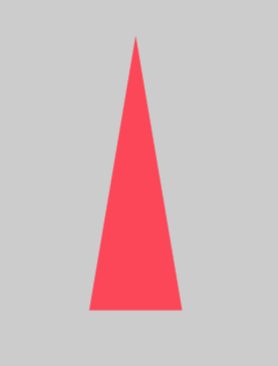
new Triangle(53, 160, null, "#CAD9F6")
This doesn't work due to "ZIM display - Triangle(): invalid triangle lengths".
Obviously I could work around it with new Triangle(53, 160, 160, "#CAD9F6"), but the docs say it should produce an isosceles triangle.
1 Like
When we made it an equilateral triangle when there is no b and c, we set c to a. We should have set c to b to keep the isosceles. Thanks again. Anything else, keep letting us know. Cheers.
new Triangle(100,300,null,red).center()
1 Like