
Looks like you will need to preload the pictures. Or if they all have the same dimension, give the Pic() the width and height. Otherwise, it will not know the size to be able to apply the scale.
To preload the pics, make your array above the Frame and pass it into the Frame as the assets parameter.
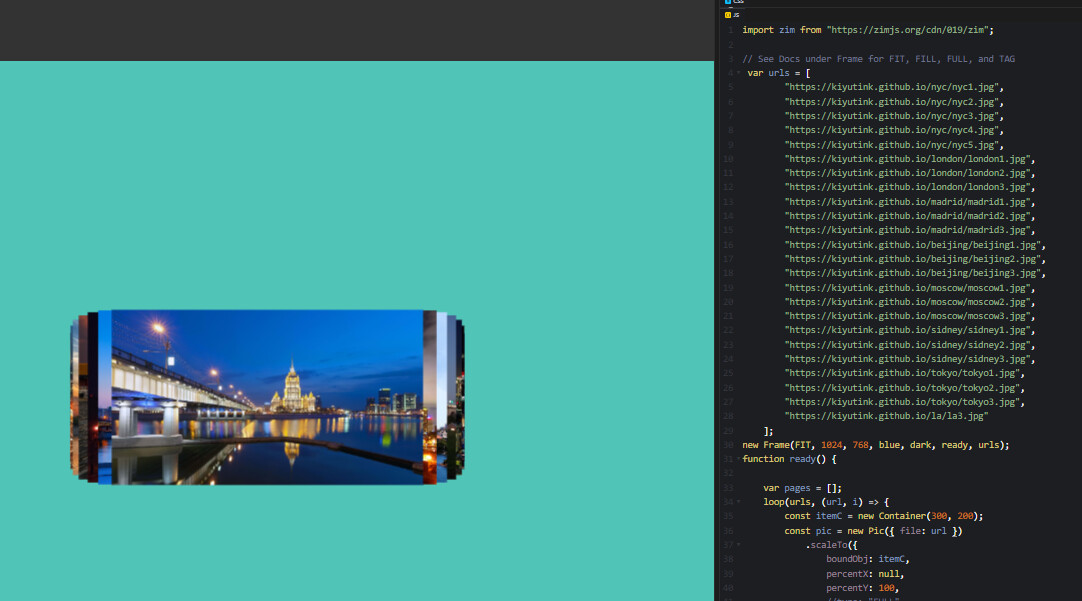
though,i don't preload pic,but i set width and height and scaleTo a parent container.
the problem is there also.
these pic have the same size 1920x1080
        const itemC = new Container(300, 200);
        const pic = new Pic({ file: url,width:300,height:200 })
            .scaleTo({
                boundObj: itemC,
                percentX: null,
                percentY: 100,
                //type: "FULL"
            })
            .center(itemC);
That will not do it. Setting width and height really just sets the scale and we can't set scale if we do not know how big it is at the start. So if you do not want to preload then use new Pic(file, width, height) if you know the width and height... but you may as well preload. Preloading will run a single load queue, whereas lazy loading will run a load queue for each picture.
ok.
1 Like