Happy New Year!
I have a question about the Tile class.
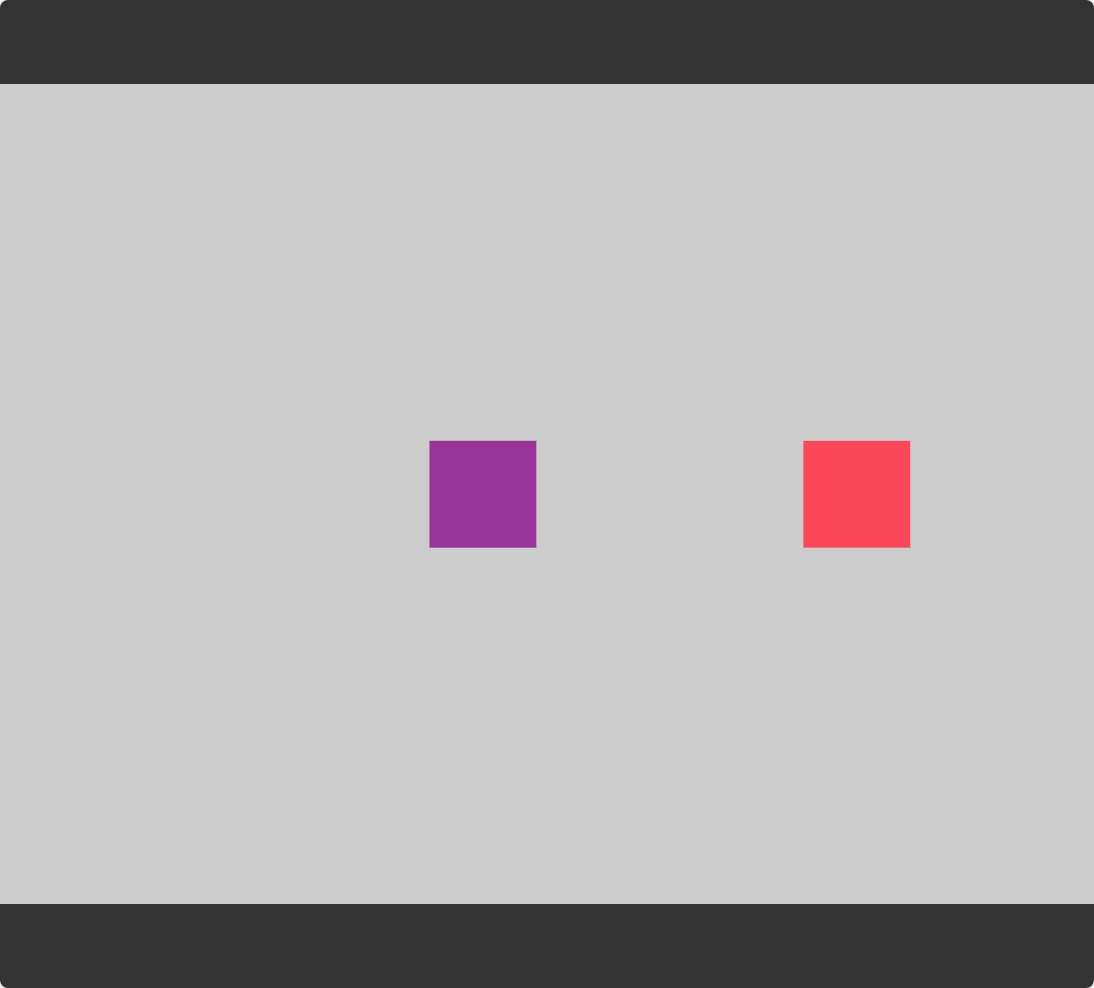
I'm trying to change the spacingH value after the tile has already been created, but setSpacing() doesn't seem to have any effect.
I know I can dispose of the tile and create a new one with a different spacingH value, but I'm wondering if there's a way to update the spacing without recreating the tile.
Am I missing something?
<!DOCTYPE html>
<html>

<head>
    <meta charset="utf-8" />
    <title>ZIM - Code Creativity</title>
    <script type="module">
        import "https://zimjs.org/cdn/019/zim";
        new Frame(FIT, 1024, 768, light, dark, ready);
        function ready() {
            let a = new Rectangle(100, 100, purple).center();
            let b = new Rectangle(100, 100, red).center();

            let tile = new Tile({
                obj: [a, b],
                cols: 2,
                rows: 1,
                spacingH: 20,
                spacingV: 0,
                unique: true
            }).center();

            // Doesn't work
            setTimeout(() => {
                tile.setSpacing(50, 0);
                S.update();
            }, 1000);

            // Also doesn't work
            setTimeout(() => {
                tile.remake([a, b], 50, 0);
                S.update();
            }, 2000);

            // This works
            setTimeout(() => {
                a.dispose();
                a = new Rectangle(100, 100, red).center();
                tile.remake([a, b]);
                S.update();
            }, 3000);

            S.update();
        }
    </script>
    <meta name="viewport" content="width=device-width, user-scalable=no" />
</head>

<body></body>

</html>
Hi @Takemin - happy new year to you too! We supplied a setSpacing(h,v) method for that. It might be awkward to animate although you can with the animate() function (not method). Let me know if you wanted to animate and need a hand.
1 Like
Thank you for your support! Is setSpacing(h,v) only for animate() function? What is the cause of this error?
ZIM:11 Uncaught TypeError: Cannot read properties of undefined (reading 'length')
at t.Tile.remake (ZIM:11:836335)
at ee.setSpacing (ZIM:11:836907)
at index.html:25:22
no - it is usually not used with animate().
Oh - bug! Will take a look now. We did a bunch of work in Tile recently and had not tested the setSpacing() - hopefully it is something simple. Working on it now.
Okay - do a refresh and test again. It was supporting only array values but we made it work with single numbers or arrays now.
1 Like
Thanks! setSpacing() works now! It solved the issue for me. But the second one still doesn't seem to work. Am I misunderstanding something about the remake() method?
And I realized that after applying setSpacing, the position is no longer centered.
<!DOCTYPE html>
<html>

<head>
    <meta charset="utf-8" />
    <title>ZIM - Code Creativity</title>
    <script type="module">
        import "https://zimjs.org/cdn/019/zim";
        new Frame(FIT, 1024, 768, light, dark, ready);
        function ready() {
            let a = new Rectangle(100, 100, purple).center();
            let b = new Rectangle(100, 100, red).center();

            let tile = new Tile({
                obj: [a, b],
                cols: 2,
                rows: 1,
                spacingH: 20,
                spacingV: 0,
                unique: true
            }).center();

            setTimeout(() => {
                tile.setSpacing(250, 0);
                tile.center();
                S.update();
            }, 1000);

            S.update();
        }
    </script>
    <meta name="viewport" content="width=device-width, user-scalable=no" />
</head>

<body></body>

</html>
Okay - so perhaps the bounds are not being updated. And we will check on that second issue as well... had not seen it in the original post. Just getting some lunch then should have time.
1 Like
bounds issue cleared up - for some reason we only adjusted bounds if there were background colors or backdrop colors.
Working on the other issue now.
1 Like
Okay - do a hard refresh and let us know how it goes. We had an old variable in there that was causing an error. Cheers.
1 Like
Thank you very much! It works perfectly now. 
1 Like