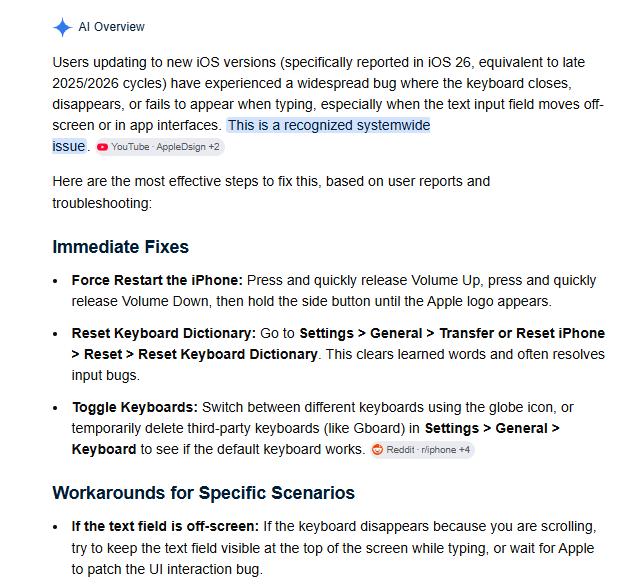
Just experiencing a bug on recent apple ios devices with TextInput(). The actual text that we use is offscreen and that is causing the keyboard to open and close. Sigh. Well done, Apple.
Wonder if putting the text field underneath the canvas would work... I think it has to be displayed with an opacity... that is why we put it offscreen. Possibly people will use ZIM with a background transparent stage.
You can keep the keyboard up by sort of lightly dragging your finger along the text field. Or typing while holding down on the field. Obviously, not great.
Will see if updating the operating system will fix it... but trying adding the html text field to under the stage just to see...
Does not make a difference - we moved the HTML field to on the screen and if you press on the field, the keyboard stays, if you press on ZIM the keyboard comes up and then goes away on pressup - unless you start typing while holding down... hm... wonder if we can put some text into the textfield on mousedown... will try.
Nope - the text goes in and then the keyboard closes.
Trying to set the focus of the field .2 seconds after mousedown on it does not work either or even an interval trying to set focus.
It is my wife's device... will have her try and upgrade - but not hopeful considering the AI says greater than 26.4 is good and we have 26.5. So... not sure. Guess I can log a support issue with Apple. Sounds fun.
Oh... I don't remember how to sign in for Apple... so... if anyone else wants to report the issue, that would be helpful. Maybe on an Apply forum. Hmmm could check Stack Overflow...
do you have some URL where we can test on our device if it works? I don't have a lot of Apple users, but... I do have a large number of Apple devices here (Son works at an Apple Premium Reseller)
Can confirm that on selecting the text input box the keyboard jumps up from the bottom and as soon as it is up.... it goes down again  . Takes less than 1 second
This is serious indeed
I am in Japan until the 27th... it is hard for me to test until I get back. @pettis might be able to test to find what is causing it. We need to make a copy of TextInput and have it call a copy of the InputText where the issue is happening. I tried adjusting the top of the InputText to move the text field into view and not at a negative z-index (see the commented code below) but it did not work still. Maybe the onFocus code, also below, is causing the canvas to get focus again... perhaps just commenting out the onFocus code could make it work - but would not know how to adjust that even if that were the case.
TextArea works fine if an emergency fix is needed. Will look at it when I get back. If anyone wants to try and report it to Apple, not sure how to word it until we know what causes it.
	if (maxLength > 0) this.hiddenInput.maxLength = maxLength;
	this.hiddenInput.autocapitalize = "off";
	this.hiddenInput.autocorrect = "off";
	this.hiddenInput.autocomplete = "off";
	this.hiddenInput.spellcheck = false;
	this.hiddenInput.style.position = "absolute";
	this.hiddenInput.style.overflow = "hidden";
	this.hiddenInput.style.touchAction = "none";

	// this.hiddenInput.style.left = "100px";
	// this.hiddenInput.style.top = "100px";
	// this.hiddenInput.style.zIndex = 2;
	// this.hiddenInput.style.opacity = 1;
	// this.hiddenInput.style.width = "300px";
	// this.hiddenInput.style.height = "60px";
	// this.hiddenInput.style.fontSize = "20px";

	this.hiddenInput.style.left = "-99999px";
	this.hiddenInput.style.top = "-99999px";
	// this.hiddenInput.style.left = "10px";
	// this.hiddenInput.style.top = "10px";

	this.hiddenInput.style.zIndex = -999;
	this.hiddenInput.style.opacity = 0;
	this.hiddenInput.style.width = "1px";
	this.hiddenInput.style.height = "1px";
	this.hiddenInput.style.fontSize = "1px";

	var that = this;

	// this.hiddenInput.style.direction = rtl?"rtl":"ltr";

	this.onFocus = function() {
		if (this.stage) frame = this.stage.frame;
		if (frame.zil) WW.removeEventListener("keydown", frame.zil[0]);
		this.blinker.alp(1.0).replayTween();
		this.selection.alp(0.2);
		this.positionBlinkerAndSelection();
		this.dispatchEvent("focus");
		if (that.stage) that.stage.update();
	}
Ah... maybe the html tag is being lifted as the keyboard comes up - that is the iOS glitch. So we should set a position fixed on it. I do not have the publishing system here... so if you want, you can try adjusting a local copy of ZIM - the doc version and adjust to position:fixed rather than absolute. Then also change so it is on the screen like the commented out code above. Or wait until I am back.
1 Like
Is this something that will be patched in an updated ZIM ?
1 Like
Oh sorry - yes that was patched. Did an announcement about it and referred to this bug post... but forgot to refer to the announcement from here ;-). IMPORTANT - update - Fixed Recent iOS bug in TextInput