Hi folks, one thing we noticed about AI and ZIM is that it always gets the Buttons wrong. It throws in a longer word and does not adjust the width.
Should we default to AUTO for the width of a Button.
We have hesitated to do that as it leads to slightly different size buttons if not careful. But this only applies when people use multiple buttons.
We made Pane easier by making the content be the first parameter rather than the dimensions. And actually, it might be best just to do what we did with Pane and swap parameters so new Button("TEST") just works right out of the box.
new Button("TEST") // proposed

// rather than
new Button({label:"TEST"})
// or
new Button(null, null, "TEST")
And swap the dimensions to after the colors. We have lots of colors... so dimensions after color and backgroundColor? Then the rest of the colors?
new Button("TEST", red) // background color red

// then go to width and height
new Button("GO", red, 100, 100)

// and all the other colors would come after
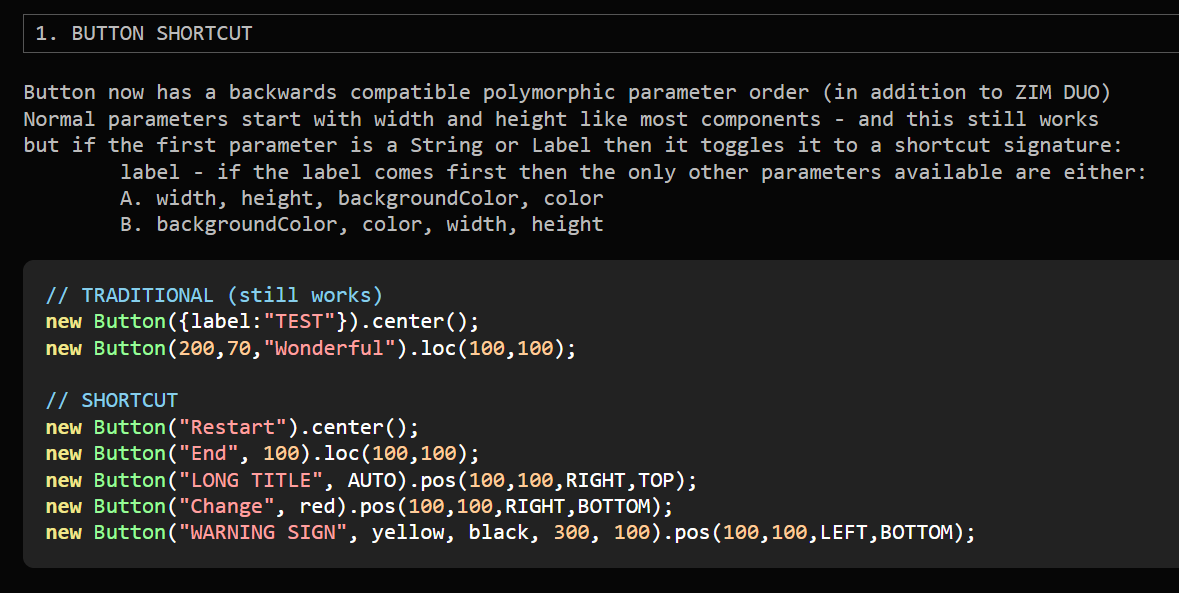
I have an idea. Well... it was AI's idea. And it seems really good. Keep the parameters as they are. But use a polymorphic test. If they start with a string then assume it is the label and default to AUTO for width and default for height. Then also, if they start with a string and the next parameters are numbers treat them as width and height. If the next parameters are strings (colors) then treat them as background color and color.
@ami, I worry a little about auto fitting the text as it would lead to different size text quite often with beginners. Thanks @karel for the thoughts.
One nice thing, is we can adjust the button right now with no backwards compatibility issues. We would like to switch the Pane() back to the old parameters and do the same technique for it - so probably all modern Pane examples would work fine as it is basically the alternative version - but, it might be treated just a little differently so we would wait for the next major version before doing the Pane.
The big question is also: Should AI provide a perfect solution for everything. There is nothing wrong with manually checking your code and doing some adjustments.
Yes, of course. But we can also think of AI as an average of how we think. So if AI is doing it naturally one way... that might be based on average button interface parameters across frameworks - or based on what people most often set as a parameter. So we can consider that as we set our parameter order. I have noticed a few times AI suggest polymorphic parameter solutions, for instance when we made our Projection Mapping app together it did. I sort of took note at that time. Generally, I do not like letting things be done in two ways. But it does solve the convenience vs consistency issue that has plagues me (us) every time we make a Button. So in this case and in the case of the Pane(), I think I like the solution.
If width: AUTO, the width of the button should fit on change the text.
Currently I'm using the following workaround with a new function setAutoPaddingHLabel in ZIM.js:
Agreed - I have in in a context prompt / or skills - but there is a lot of context and sometimes it just misses it still. It is perhaps awkward to know how long a word will fit in the default and it wants to use long words... I mean, sometimes it is fine, but most of the time something does not look good out of the box it is text overlapping a button size.
Plus, it is not an AI issue only - for years, I have grumbled using new Button({label:"Restart"}) when it could just be new Button("Restart")
new Button("Restart").center();
new Button("End", 100).loc(100,100);
new Button("LONG TITLE", AUTO).pos(100,100,RIGHT,TOP);
new Button("Change", red).pos(100,100,RIGHT,BOTTOM);
new Button("WARNING SIGN", yellow, black, 300, 100)
    .pos(100,100,LEFT,BOTTOM);